


June 2022 | Product Spotlight
Welcome to the June edition of our monthly Product Spotlight, highlighting the biggest and most exciting updates in Pinpoint.
Article
13 Jun 22
Welcome to the June edition of our monthly Product Spotlight, highlighting the biggest and most exciting updates in Pinpoint.

Hi there 👋
It’s been a busy month and we’re excited to share several new updates that will give you even more flexibility and control within your Pinpoint platform. Now, you have new options for customizing your equality questionnaires by location, tracking the source of each candidate, and reporting on candidate responses to application questions.
Let’s dive in…
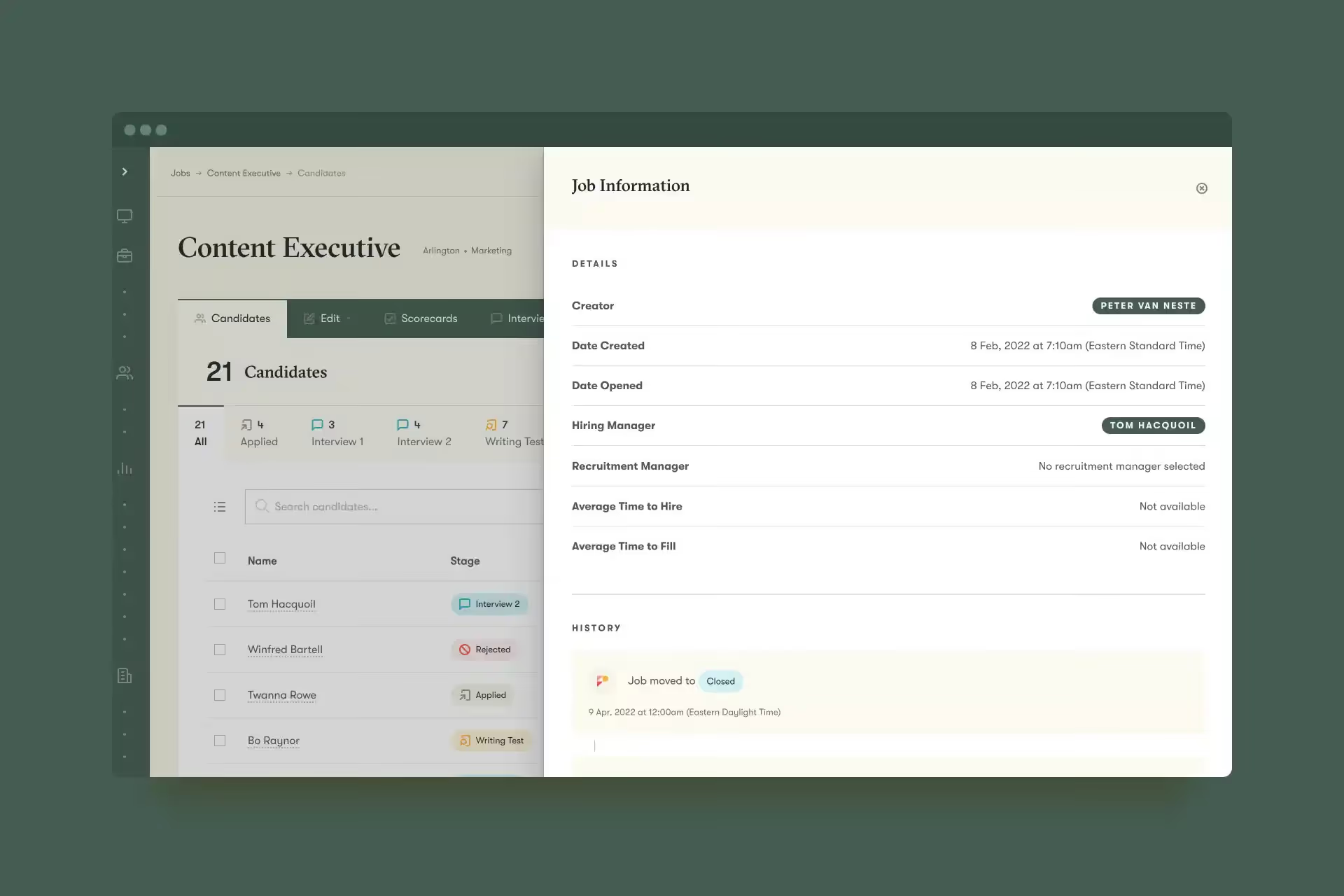
When looking at an individual job, you can now select a “job information” button to open a list of details about the job, such as hiring manager, compensation, approvals, requisitions, custom fields, and interview questions. The list will also include historical information about the job, including details like a list of status changes, creation date, and average time to fill.
Up to now, you’ve been able to create a standardized list of equality monitoring questions for all job applications. To expand on this, now you can also create different lists of questions for different locations. This can be very helpful if you hire in different countries with different reporting requirements, or simply want to monitor different data in different regions.
If you include custom questions on your applications, such as questions about a candidate’s work availability, now you can run a report to see how every candidate answered those questions. You can do this by pulling in your banked questions as columns in the candidate report. Then, each row will list each candidate’s response to that question.
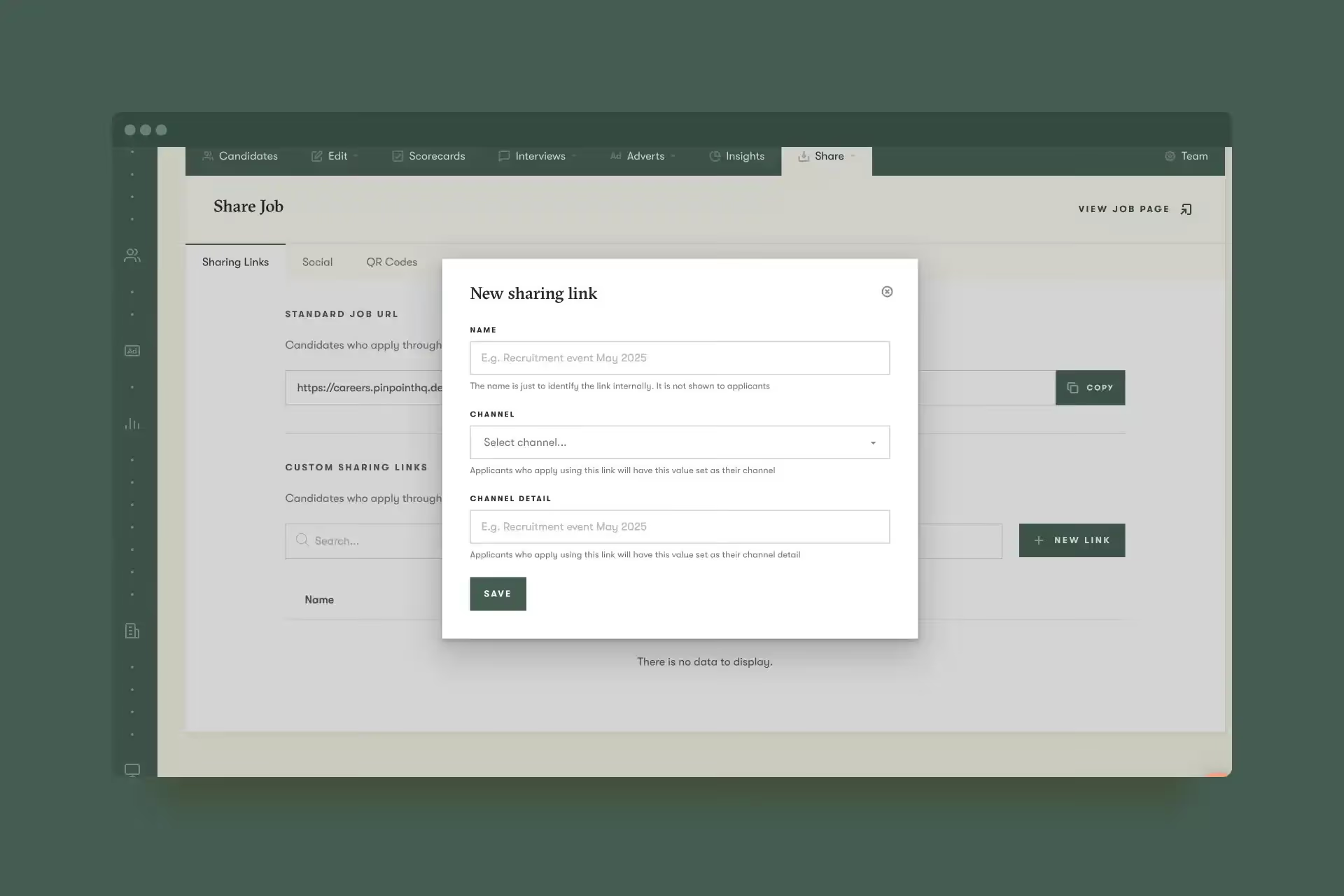
When you share job links in different places, it’s helpful to know which link brought you which candidates. Now, you’ll be able to create multiple sharing links, and select the channel and source that matches each link. When an applicant clicks one of those links, they’ll be added to your platform with the channel and source you selected for that link. Additionally, you’ll also be able to assign a specific channel and source when creating a candidate manually at the individual level or when adding candidates in bulk.
In addition to the new features above, now you can also…
Did you know Pinpoint gives you three ways to control what users can see and do within the platform? With roles, visibilities, and access groups, it’s easy to protect sensitive information while ensuring that the right people have access to the right information and functionality. Learn how to set them up here.
The way you interact with new employees from the beginning can determine how long they stay with your company. In the era of the Great Resignation, innovative companies are looking at the entire employee lifecycle to find ways to keep their staff engaged and retained.
On this Wednesday, June 15, join our CEO Tom Hacquoil, along with intelliHR Chief Customer Officer Glenn Donaldson and Head of Customer Success Gemma Murdoch, to learn how to attract the right talent to your business, set them up for success, and provide what they care about most. Register now.
In case you missed them, here’s a roundup of our latest articles & podcast episodes…
A few other things we’ve been up to in May: eating seafood, learning about the latest trends in HR, and almost escaping an escape room. Several of our US-based employees met up to attend the UNLEASH conference, work through strategy sessions, and bond as a team. For some of us, it was our first time meeting our coworkers in person, and we had a blast.
That’s it for this month.
We’d love you to get in touch if there’s anything we can help with, or if you have feedback on this latest product release.