


August 2023 | Product Spotlight
Welcome to the August edition of our monthly Product Spotlight, highlighting the biggest and most exciting updates in Pinpoint.
Article
07 Aug 23
Welcome to the August edition of our monthly Product Spotlight, highlighting the biggest and most exciting updates in Pinpoint.

Hi there 👋
This month we’re sharing updates that will help your team work more efficiently together. Easily build out your careers site, review all scorecards, edit offers based on feedback, and more.
Let’s dive in…
Quickly add more content to your careers site to communicate your employee value proposition to candidates. You can duplicate an existing page within your careers site to create a new one with the same formatting and design.
Every field in a requisition form can now be optional for greater flexibility. Plus, you can create more dynamic forms: if someone answers “yes” or “no” to a certain question, you can have an optional follow-up to ask for additional context. Getting more information upfront will allow for a smoother recruitment process later.
When sending emails from Pinpoint, you can now CC or BCC stakeholders to keep them in the loop. This setting can be switched on or off in the organization settings. Confirm internally that this abides by your organization’s data compliance practices before enabling it for your team.
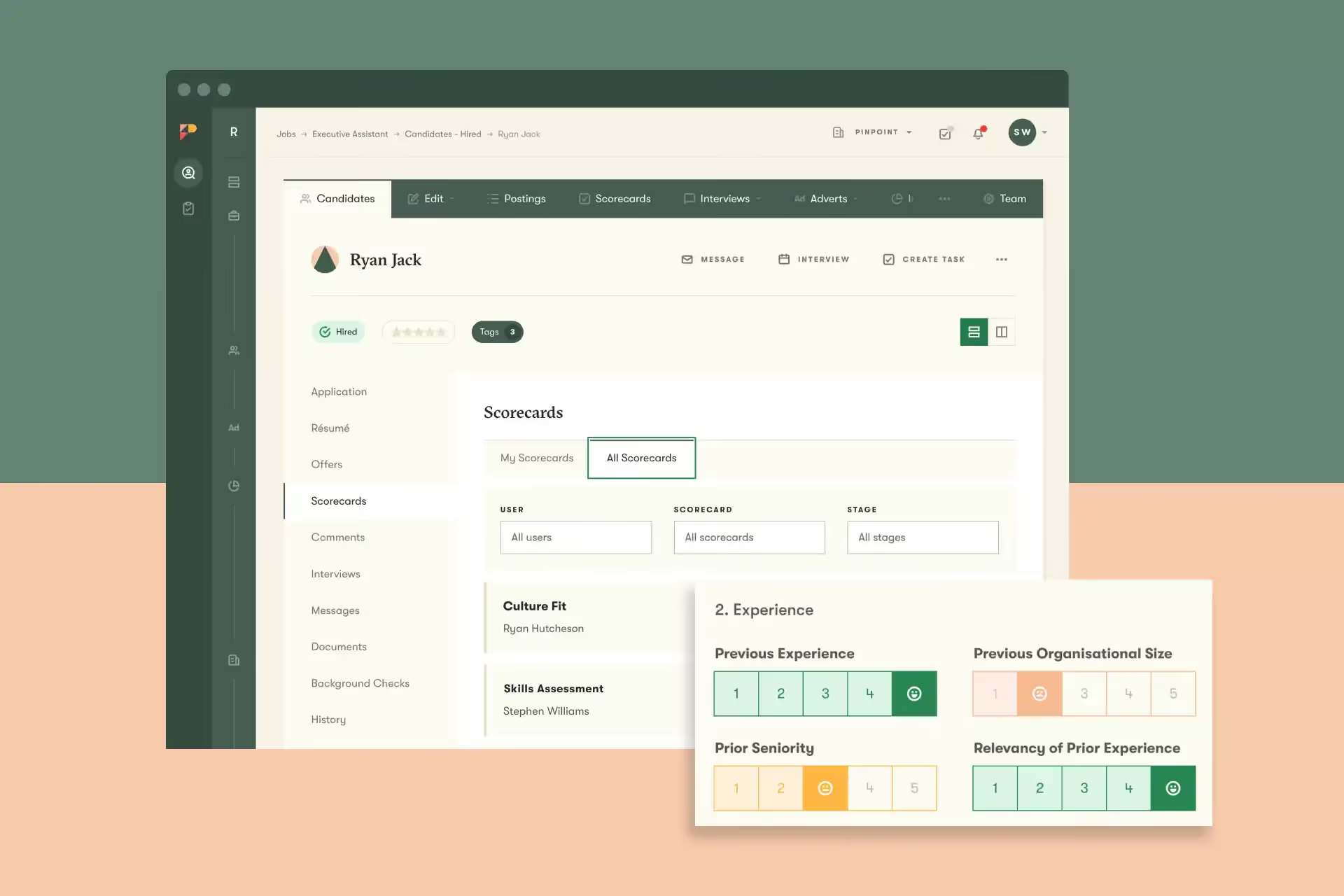
Easily review all feedback for each candidate in one place. In the candidate profile, you can view your individual scorecards to refer back to notes from previous interviews. You can also select “All Scorecards” to see a complete list of scorecards, including written feedback, from the full hiring team.
Previously, if you created an offer to a candidate, the offer was sent out straight away (or as soon as it was approved via a sign-off workflow). Now, you can create the offer, and have it approved through a sign-off process, but defer sending it to the candidate until you’re ready to do so. This allows talent teams the flexibility to finalize the offer letter wording, or speak to the candidate before sending out the formal offer.
Reach out to support to enable this on your platform.
Learn how to set up your sign off workflows here. For a full overview of how to send offers with Pinpoint, you can check out our video walkthrough.
Set your team up for success with roles. By assigning each user the appropriate role, you can empower your team to own their parts of the hiring process, while maintaining control over recruitment. Learn more here.
And that’s it for this month. We’d love you to get in touch if there’s anything we can help with, or if you have feedback on this latest product update.