


April 2024 | Product Spotlight
Welcome to the April edition of our monthly Product Spotlight, highlighting the biggest and most exciting updates in Pinpoint.
Article
23 Apr 24
Welcome to the April edition of our monthly Product Spotlight, highlighting the biggest and most exciting updates in Pinpoint.

Hi there 👋
I’m Rachel Larkin, Customer Success Manager at Pinpoint. This month I’m sharing some exciting updates that will help your team collaborate more effectively, by printing applications, marking no-show interviews, and more. Let’s dive in.
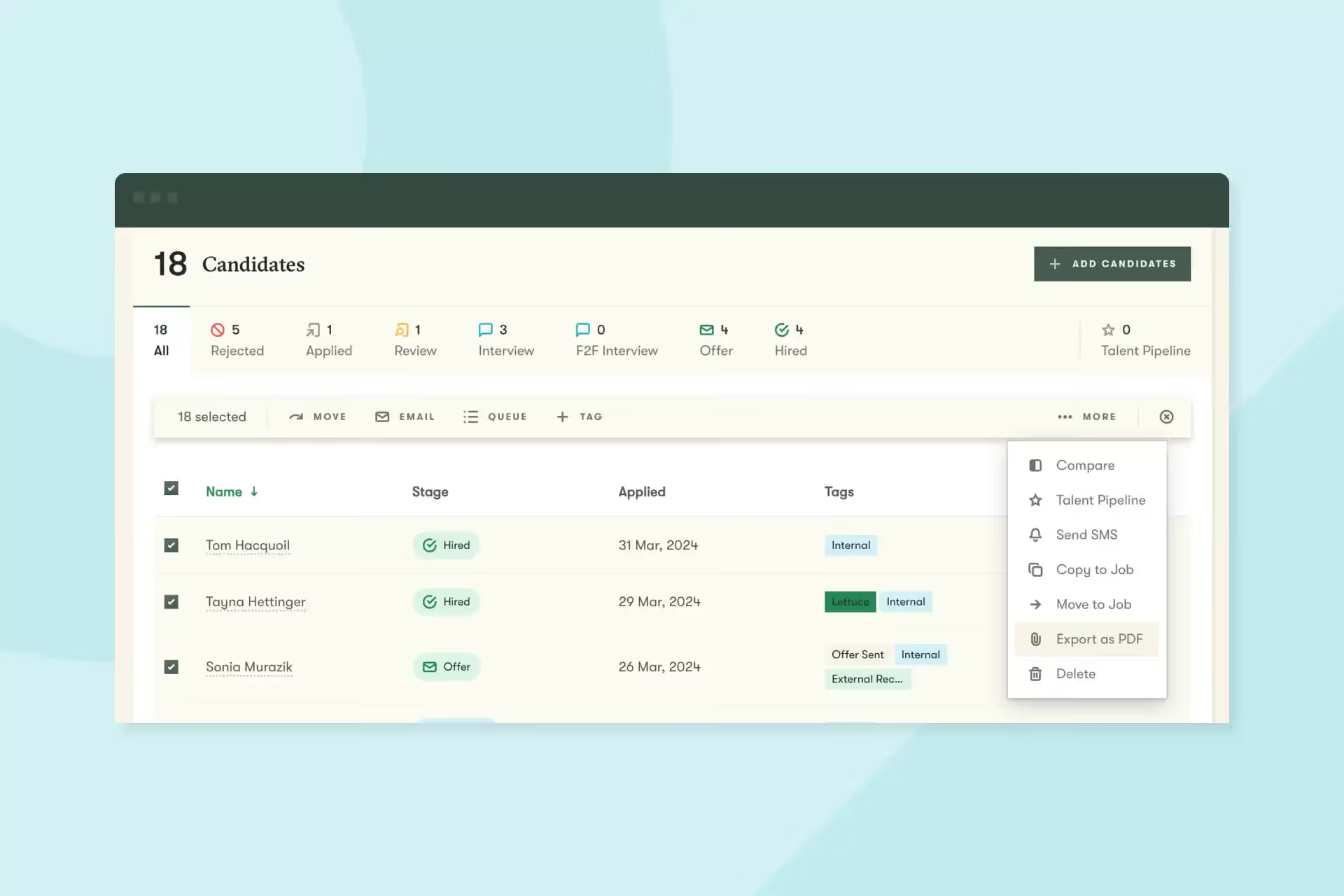
Some hiring managers prefer to review candidates on printed paper rather than on a computer screen. Other teams need to keep printed copies of applications in case of an audit. Now you can more easily fulfill these needs by exporting candidate profiles to PDF for tidy printing. This is a company-wide setting you can turn on or off based on your team’s preferences.
Unfortunately, sometimes candidates don’t show up for interviews. In the past, there hasn’t been an easy way to indicate when this happens. Now, you’ll be able to mark an interview’s status as “no-show” and run reports later based on the data.
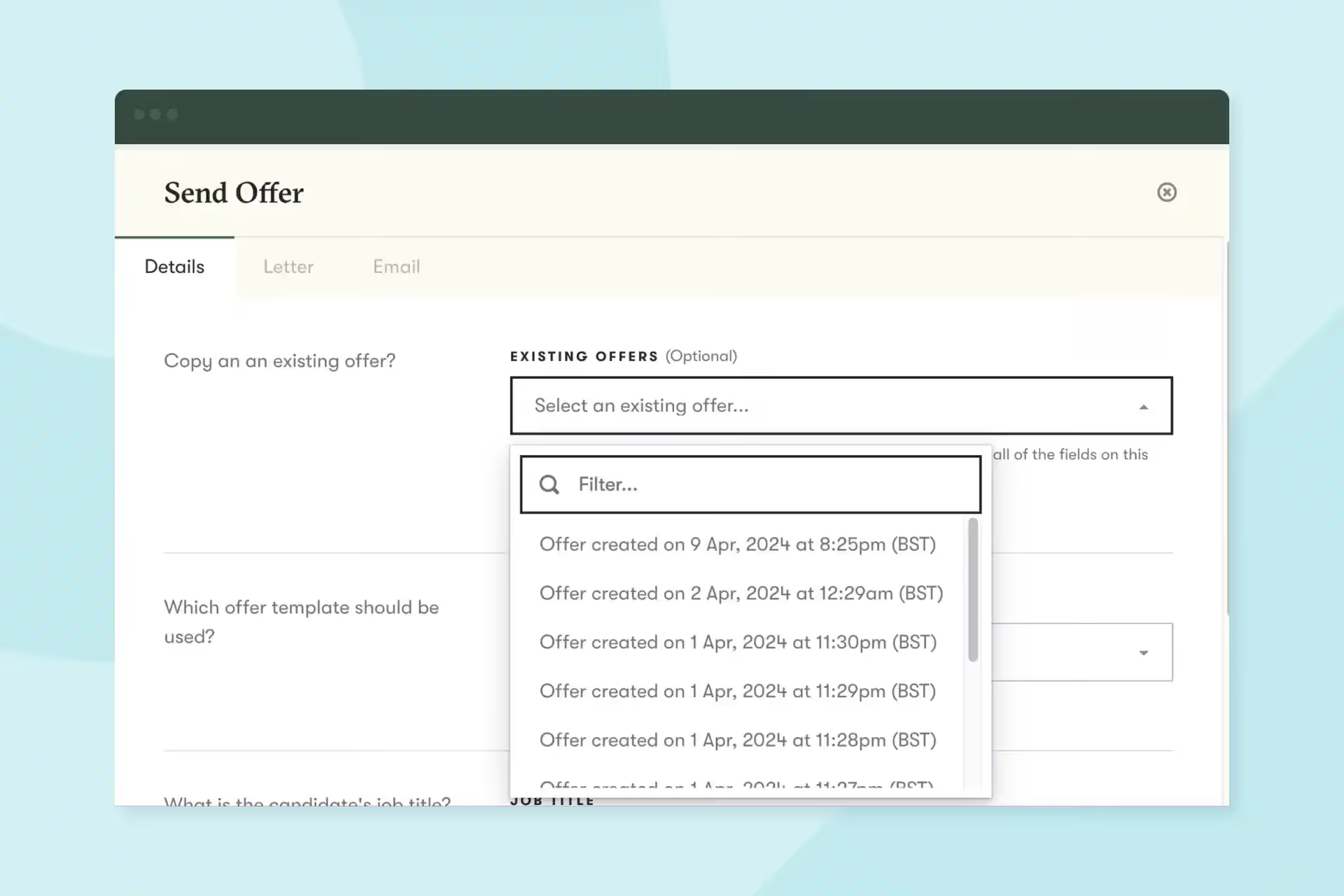
When a candidate requests a change to their offer, you want to be able to send them the new version as quickly as possible. Now, when you start an offer, you can pull in details from a previous one. Then you can make the necessary edits and get your updated offer back to the candidate faster and with less risk of error.
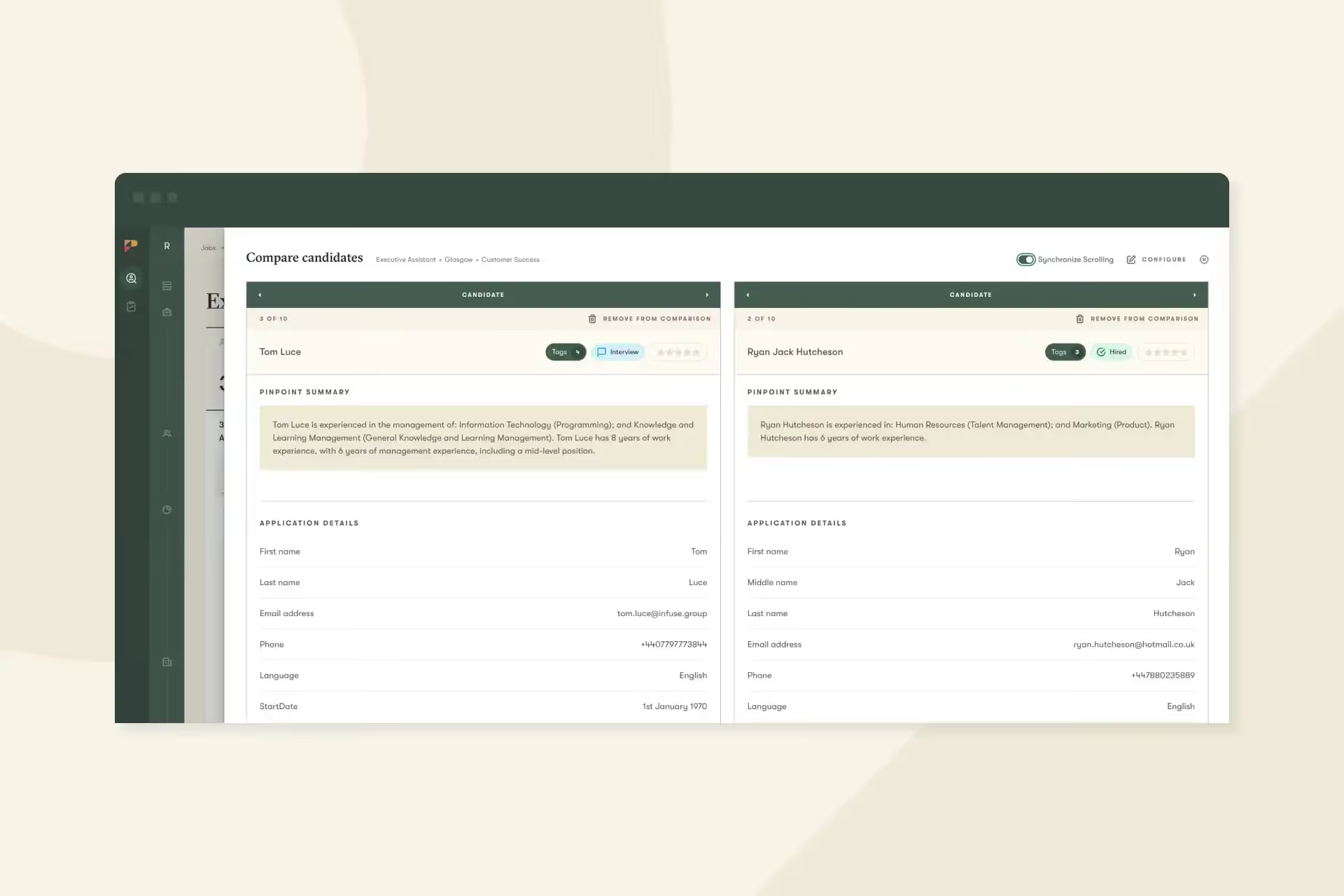
When you’re recruiting for roles that receive hundreds of applications, every second spent on switching between applications adds up. Pinpoint power users love two views that let you move faster through applications: the candidate queue and split screen views. These views let you flip through and compare a batch of candidates, so you can get through a high volume of applications faster.
And that’s it for this month. We’d love you to get in touch if there’s anything we can help with, or if you have feedback on this latest product update.